You notice a keyboard during a long email and a mouse while moving between tiny spreadsheet cells. These are ordinary moments, but they happen hundreds of times. A useful upgrade should improve the task you repeat, rather than add buttons you never touch or a layout that fights your habits.
Start with the tools already on your desk. Is the mouse too large to pack? Does a full-width keyboard push your mouse farther away than you prefer? Do you move between a personal laptop and a work computer? This guide offers scenario-based buying advice, not medical claims or hands-on performance ratings.
Choose a layout from your documents
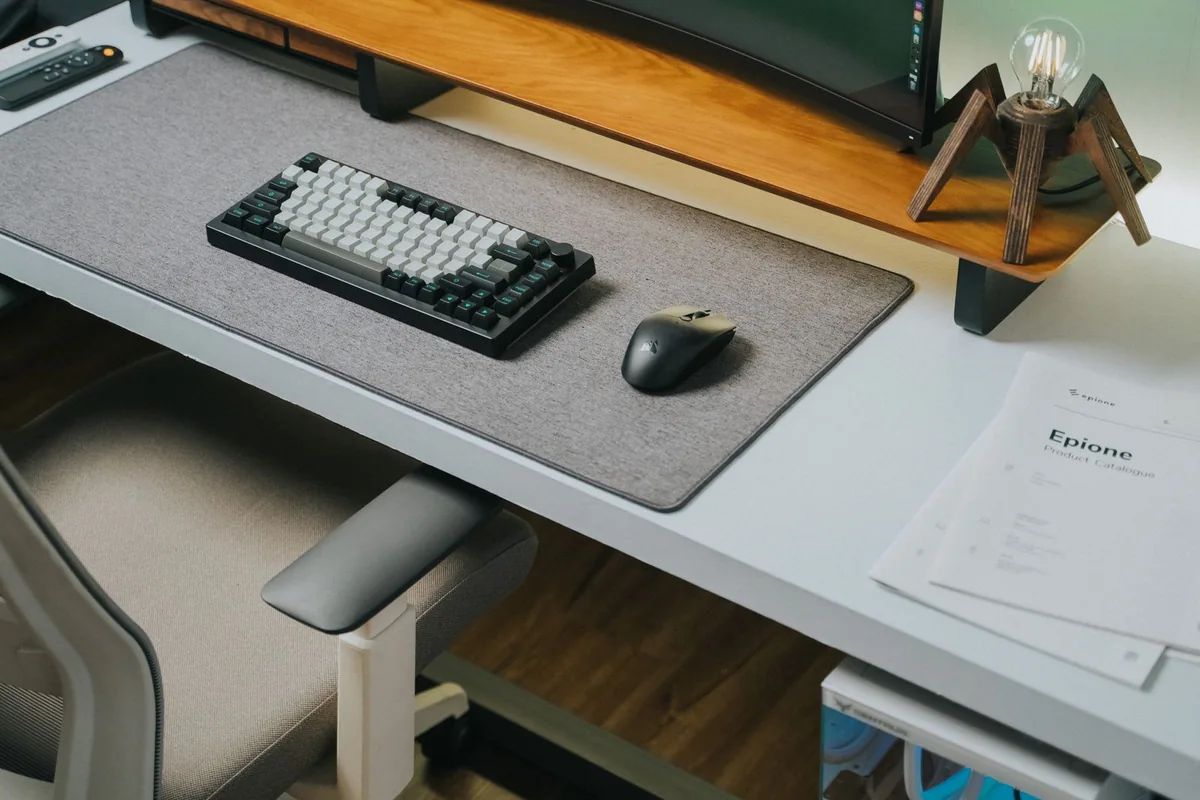
A number pad can be valuable for repeated numeric entry. For writing and browser work, a compact keyboard may leave more space for a mouse and notebook. Check whether essential navigation keys and shortcuts remain accessible, particularly if you edit spreadsheets or use keyboard commands throughout the day.
Regional layout also matters. Verify the actual product photographs and configuration, including the Enter key, punctuation positions, and operating-system labels. A discounted listing with an unfamiliar layout can cost more attention than it saves money. If you share a desk, consider whether other users can work comfortably with it.
Match the mouse to your hand and tasks
Size, handedness, weight, and button placement are worth more consideration than a sensitivity headline for routine office work. A mouse designed around a right-handed thumb may be unsuitable for a left-handed user. Extra controls can be useful for frequent horizontal scrolling, but only if they are easy to reach.
For travel, a small shape may pack neatly but feel different during a long session. A desk-focused model can be more substantial and less convenient to carry. Neither is universally better. If discomfort persists, do not expect a product description to diagnose or resolve its cause.
Consider connections and software together
Bluetooth avoids using a USB port; a receiver can offer a separate connection option when Bluetooth pairing is inconvenient. Confirm the included receiver and your computer’s connector. Some listings sell variants with different accessories, so do not infer the contents from the product family name.
Advanced remapping may require software and permissions that a managed work laptop does not provide. Logitech’s MX Keys S documentation describes its configuration features, while the MX Master 3S page gives current variant information. These are manufacturer links for comparison, not a claim that these models suit every hand or task.
Spend for a repeated benefit
Backlighting is useful when you genuinely work in low light; it is less persuasive at a bright fixed desk. Multi-device switching matters when you actually use several computers. A premium keyboard and mouse package can be unnecessary if the existing devices already support your work reliably.
Skip a noisy keyboard if you regularly type beside another person or join calls without muting. Skip complex programmable controls if your applications already provide convenient shortcuts. A return window is particularly useful for input devices because published dimensions do not fully explain how a shape will feel to you.
Choose by your situation
| Your situation | Useful starting point | Main tradeoff |
|---|---|---|
| Spreadsheet-heavy work | Keyboard with accessible number pad | Faster familiar entry; wider footprint |
| Compact writing desk | Smaller keyboard and simple mouse | More surface; fewer dedicated keys |
| Two computers at one desk | Verified multi-device peripherals | Convenient switching; software may vary |
Before you place the order
Compare the exact model and configuration, not just the product family. Save the listing and the compatibility documentation so you can check what was promised if something arrives differently. Read the seller’s current return conditions, including packaging requirements, shipping charges, and any exclusions for opened items. A lower price is less useful when it removes your opportunity to assess fit or compatibility.
Keep the first setup simple. Connect the essential device or accessory, confirm it works in your normal application, and then add the rest of your equipment. During the return period, try an ordinary full workday or listening routine rather than only the first few minutes. Keep your previous equipment until the replacement has shown it can handle the job.
Frequently asked questions
Will a new keyboard make me type faster?
There is no guaranteed improvement. Familiarity, layout, and practice matter; our advice does not include measured typing-speed results.
Do I need matching devices?
No. Choose each for its role. Matching branding matters less than fit, supported connections, and the controls you use.
Sources and shopping information
The following official sources were checked on October 7, 2026. Manufacturer pages can change; confirm current specifications, availability, and the exact regional version before buying. Links labeled manufacturer link lead directly to a brand, without affiliate tracking.